OneAccord Outreach
A field companion for mentors and volunteers: register interested people, track their stage, assign a team member and run surveys, all from the phone.
What it is
One Accord is a church-management platform. Its mentors and volunteers do their work in the field: meeting people, following up, running surveys. The Outreach app puts that work in their pocket.
The free version ships as BibleStudyOffer. When people pay, it becomes One Accord. It is the same product.
What church software does, and the gap
I looked at three widely used church management products, using their own public pages. This is a feature level comparison, not a usage study.
| Product | What it covers | Source |
|---|---|---|
| Planning Center People | Church database with follow-up workflows. A process can let anyone follow up with a person, or assign specific team members to specific people. | Planning Center help ↗ |
| Breeze ChMS | Church management software with a companion mobile app to reach people, tags and events from a phone. | Google Play listing ↗ |
| Pushpay ChMS | Church management platform that helps connect with guests, plus mobile apps for the congregation, staff and leaders. | Pushpay product pages ↗ |
The problem
Churches struggle to identify and connect with people interested in Bible studies and church activities. Staying in touch with them is hard, and the needs of the community change.
Field work was tracked back at a desk, inside a desktop admin tool. Details from visits came back late, incomplete, or not at all.
Framing from the project brief and the Behance case study. It is not a research study and no usage numbers are shown.
Done on the spot, one-handed
Start from the moment of the visit
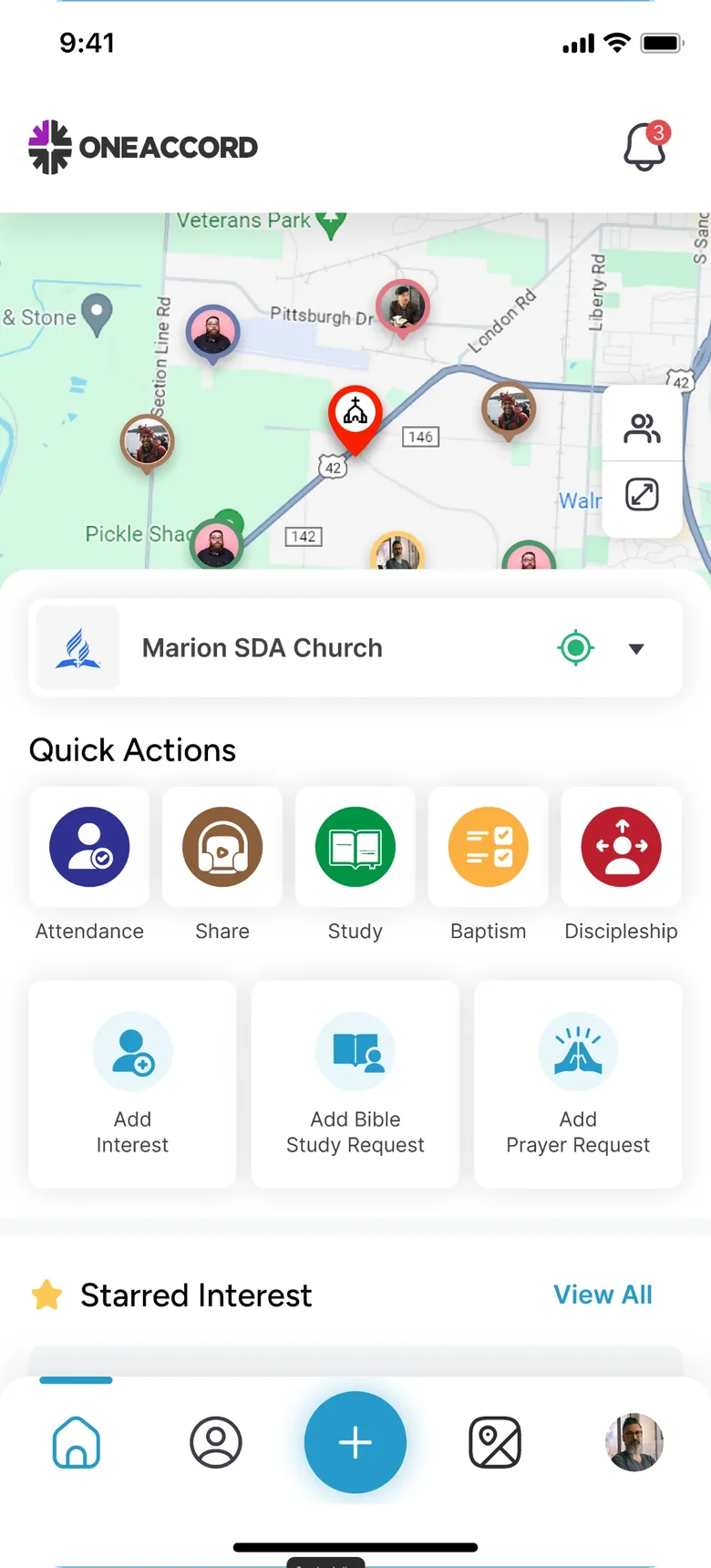
Quick actions and an Add button sit on the home screen, so a person can be registered where they are met.
Follow-ups in view
Starred interests keep the people who need follow-up in view, and each can have a team member assigned.
Surveys in the same app
Short surveys run from the field, so answers are not collected on paper and typed in later.
Big touch targets, short lists
Cards, radio rows and one primary action per screen, built for quick use outdoors.
From rough layout to structure
Sketches
Each sketch follows one real screen: Home with quick actions and starred interests, the Add Bible Study Request form, location search, and the church choice screen.
Low fidelity wireframes
Sketches and wireframes are redrawn from the shipped high fidelity screens. They are not original process artifacts.
How the app is organised
Redrawn from the shipped screens. It is not the original process artifact.
Quick actions and starred interests
The home screen has the OneAccord header, a church map and church selector, five quick actions (attendance, share, study, baptism, discipleship), three Add actions (Add Interest, Add Bible Study Request, Add Prayer Request), and a Starred Interest section with View All.
Add a Bible study request and place it
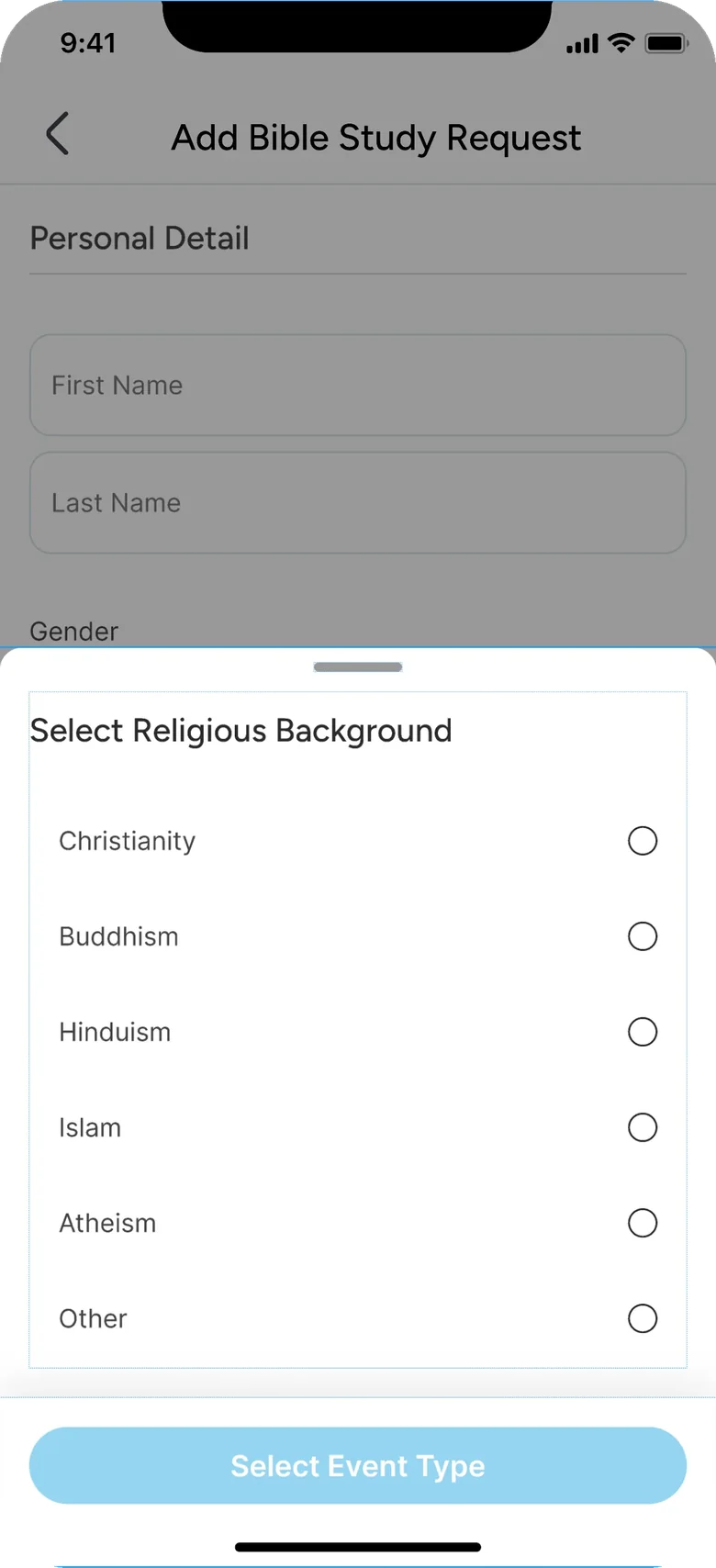
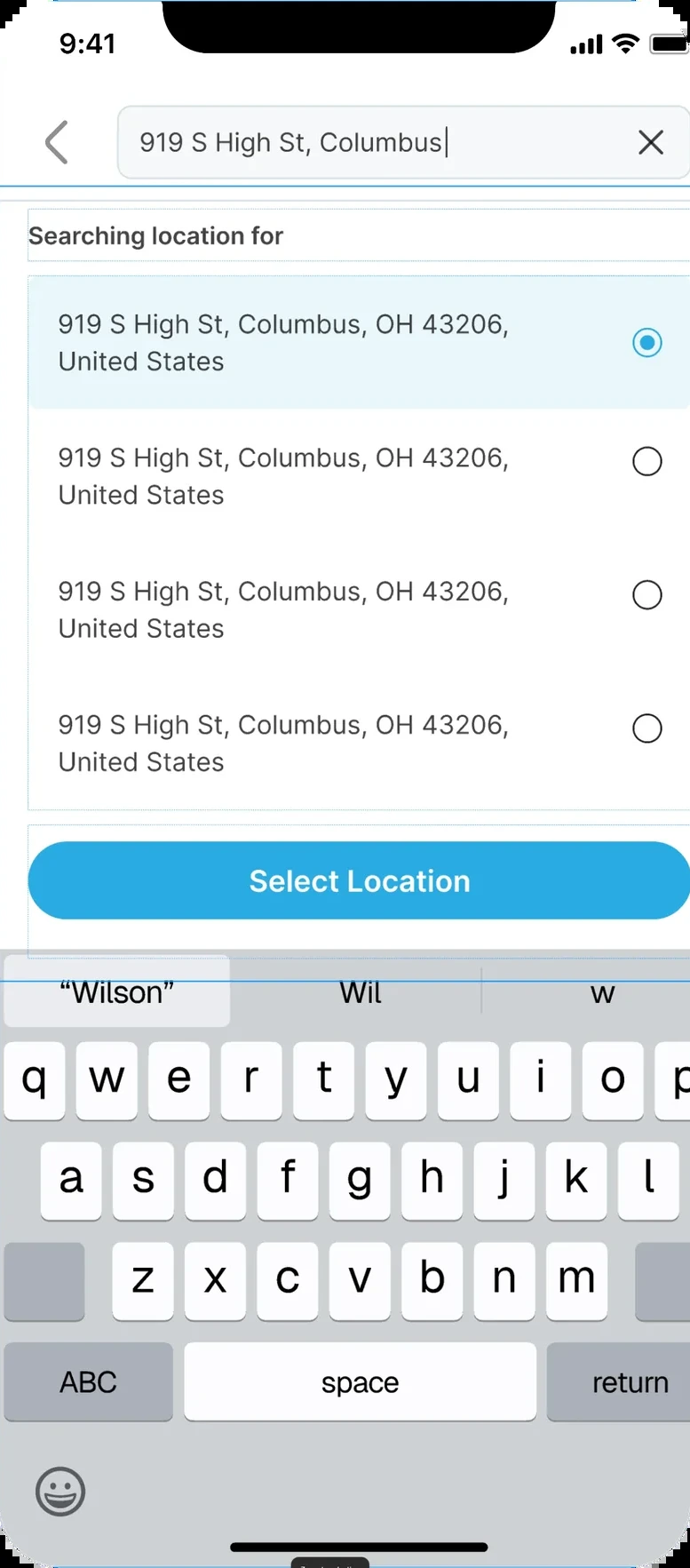
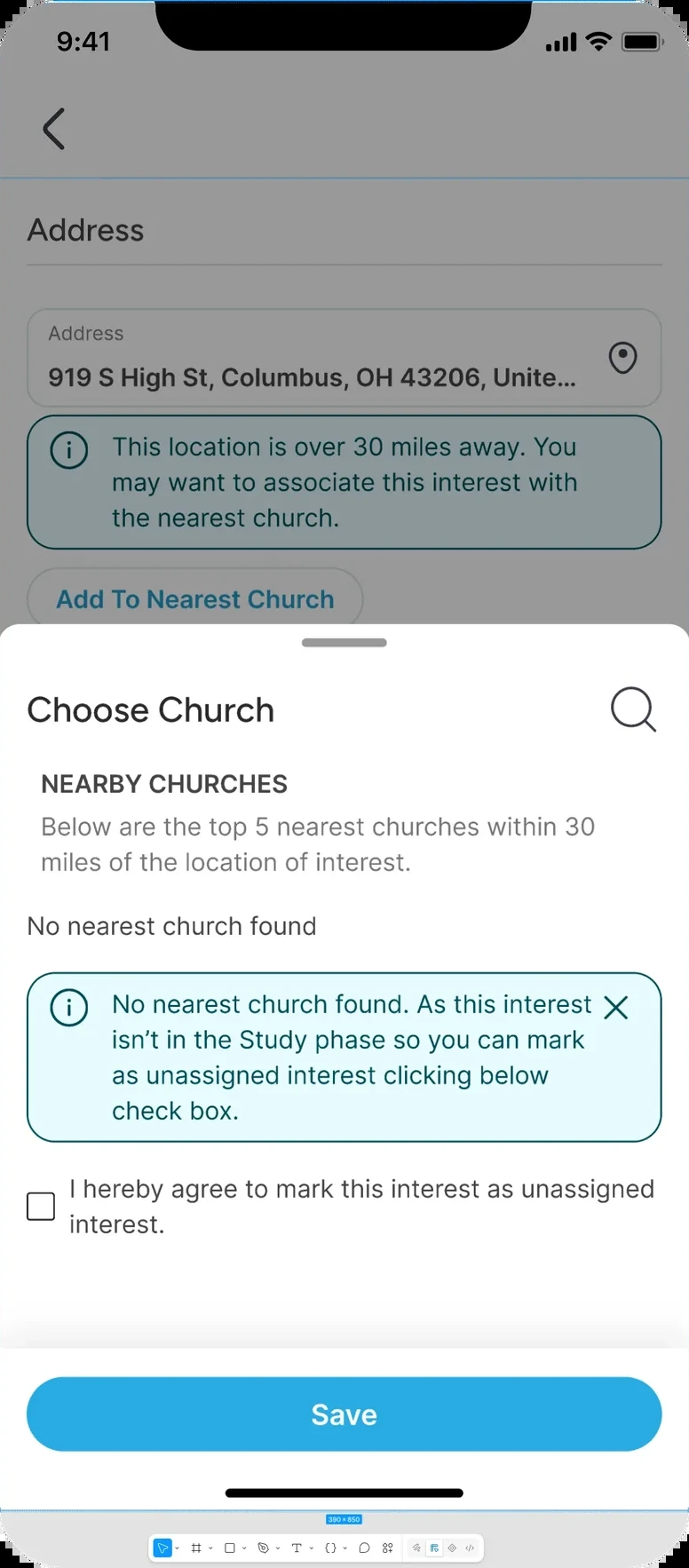
The Add Bible Study Request form asks for personal details, with pick-one lists such as religious background. A location search finds the address, and a church choice screen shows nearby churches, or lets the interest be marked unassigned when none is found.
Problems this design solves
- Late write-ups. A person is registered where they are met.
- Unclear stages. Each interest sits in a visible list, with a star for follow-up.
- Follow-up with no owner. A team member can be assigned to each starred interest.
- Paper surveys. Surveys run in the same app.
The app is live on the App Store and Google Play. No usage numbers are claimed.
More designs
More screens are in the Figma file. The full case study is on Behance.
See more designs on Figma ↗ Full case study on Behance ↗Say
hello
↗Finished reading? Message me on WhatsApp and tell me what you are building. Or email byabiskarjung@gmail.com.