FonePasal
A shop-management and wholesale marketplace app for phone and electronics retailers in Nepal. One app for billing, stock, khata and buying from sellers.
What it is
FonePasal puts a shop's daily work and its wholesale buying in one place. Shop owners bill customers, track stock, keep party ledgers (khata), record payments, and then restock from sellers on the marketplace without leaving the app.
Sellers get their own Seller Center to verify, list products, handle negotiations and manage orders.
I designed the whole product from scratch: how it is organised, how each task flows, the wireframes, and every high fidelity screen. This page walks through that process, then shows the final screens.
Facts about features come from the public product page at fonepasal.ai. No usage numbers are shown because none are public.
What existing apps do, and the gap
I looked at five widely used ledger, billing and merchant apps, using their own public feature pages. This is a feature level comparison.
| App | What it covers | Source |
|---|---|---|
| Karobar | Nepali bookkeeping app: sales, purchases, stock, buyer and supplier lists, expenses, bills and a digital khata. | Kathmandu Post ↗ |
| PhonePe for Business | Merchant app to accept and track payments, record transactions and list a store. | developer.phonepe.com ↗ |
| Khatabook | Credit and debit ledger, automatic payment reminders, multiple businesses. | khatabook.com ↗ |
| Vyapar | GST billing, inventory, invoices, payment reminders, UPI payments. | vyaparapp.in ↗ |
| OkCredit | Udhar khata ledger, reminders, UPI, offline use, multiple languages. | okcredit.in ↗ |
The problem
A phone and electronics shop runs on many small, linked jobs. Sales on credit, running balances with each customer and supplier, stock that goes damaged or short, and restocking by phoning around for prices.
These jobs usually live in different places: a paper khata, a billing tool, a calculator, calls and chats with distributors. Nothing connects them, so the owner re-enters the same facts and checks balances by memory.
The design question was not "how do we make a billing app". It was how to make the whole loop (sell, record, collect, restock) feel like one continuous flow on a phone, in a shop, often with one hand and a customer waiting.
Framing based on how shop software is described across the competitors below and on FonePasal's own product description. It is a design brief, not a research study.
Turning the problem into design principles
Every task starts from the home screen
Billing, parties, payments and stock are one tap away, so the common job never needs a menu hunt.
Money screens show balances first
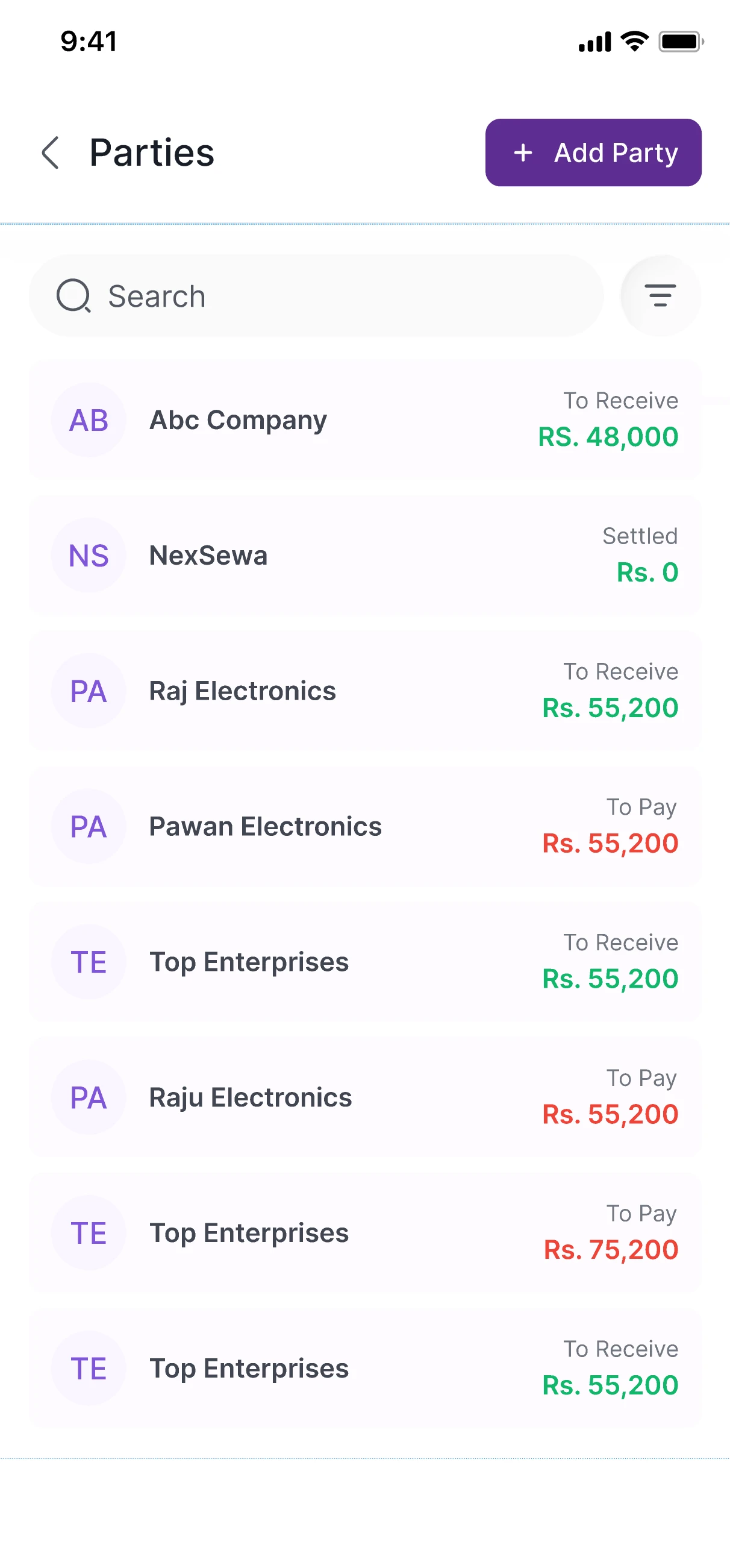
In Parties, each name carries what is to receive or to pay, in green and red, before you open anything.
Selling and buying use one visual language
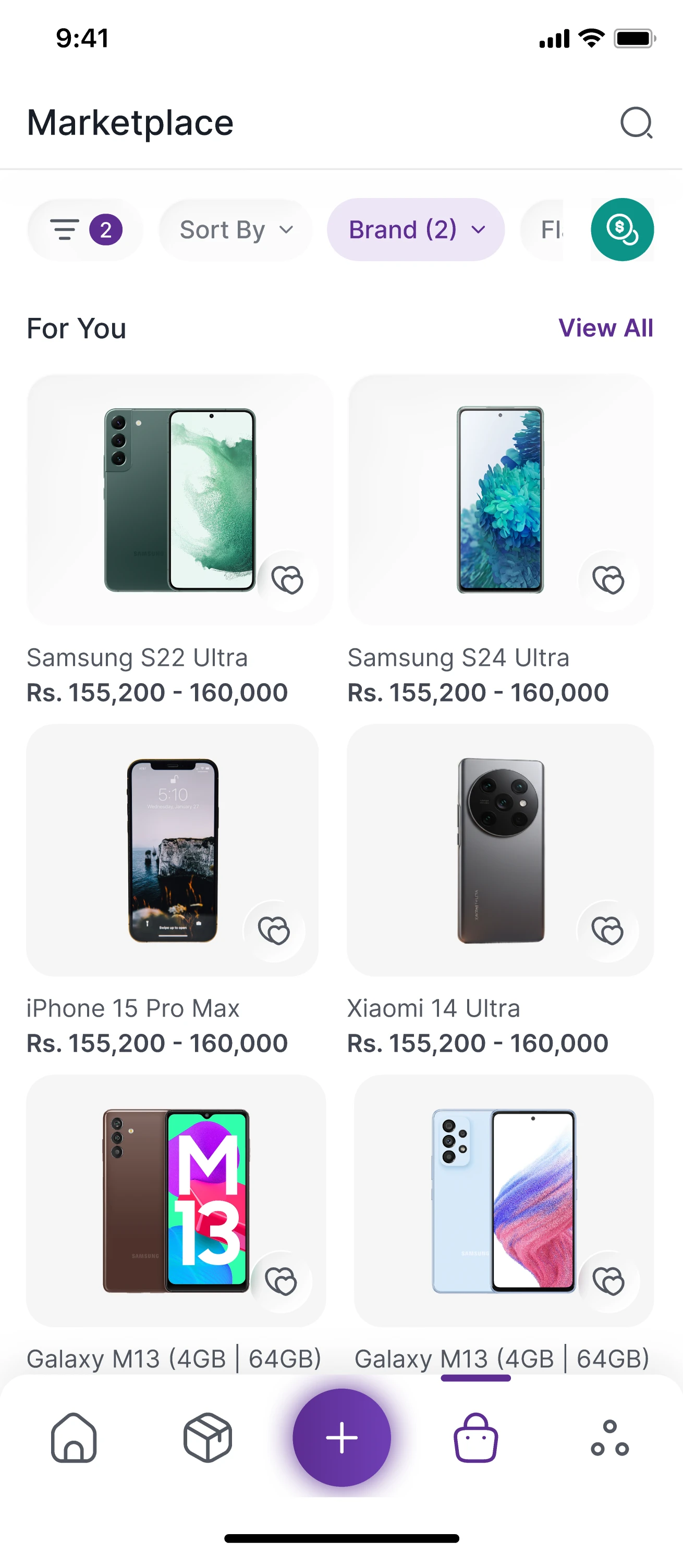
A product looks the same in a bill, in the marketplace, and in a negotiation. That keeps the shop and the marketplace feeling like one app.
Negotiation is a first class flow
Wholesale prices move. The app gives the deal a place: tiers, a bid, a quantity, and one clear send action.
From rough layout to structure
Sketches
Each sketch follows one real screen: the parties list, the Select Party sheet, Sales Return, the marketplace grid (and filtered by store), the seller sheet with tier prices, negotiation and add to cart.
Low fidelity wireframes
Sketches and wireframes are redrawn from the shipped high fidelity screens to show the structure. They are not the original process artifacts.
How the app is organised
Six areas. Shop tools and the marketplace sit side by side, and Seller Center is only for stores that verify.
Redrawn from the shipped screens. This is not the original process artifact.
Problem and solution notes
Written to summarise the design decisions behind the screens below.
Parties, billing and returns
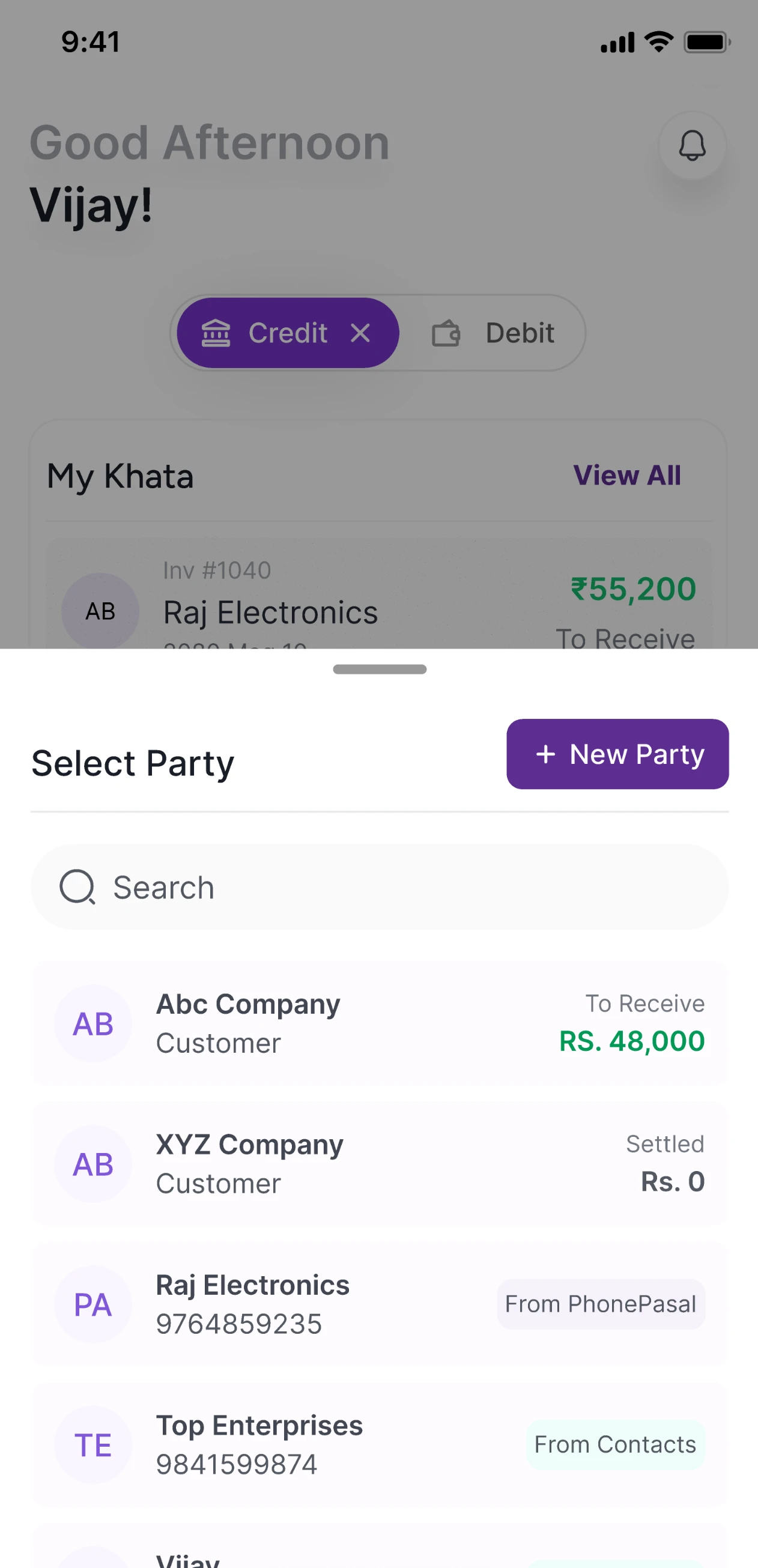
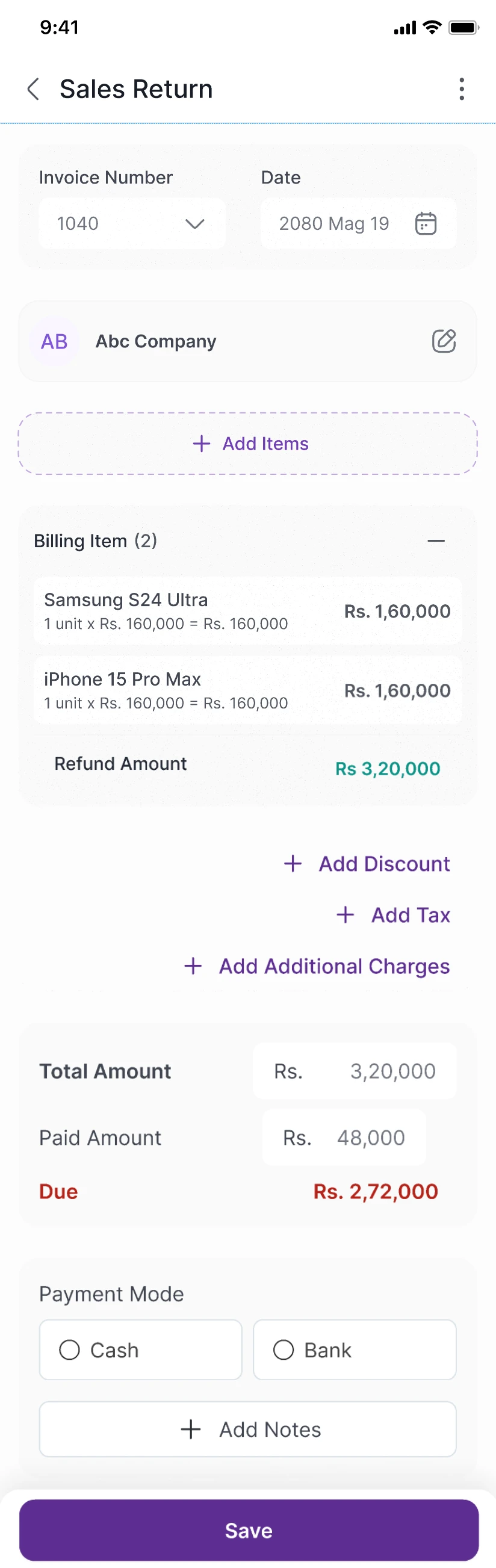
Parties is the ledger. Each row shows the balance to receive or to pay, so the owner sees the whole picture in one glance. Select Party appears inside a bill, with New Party always at hand. Sales Return keeps the credit note, date and billing items together.
Browse, compare sellers, negotiate
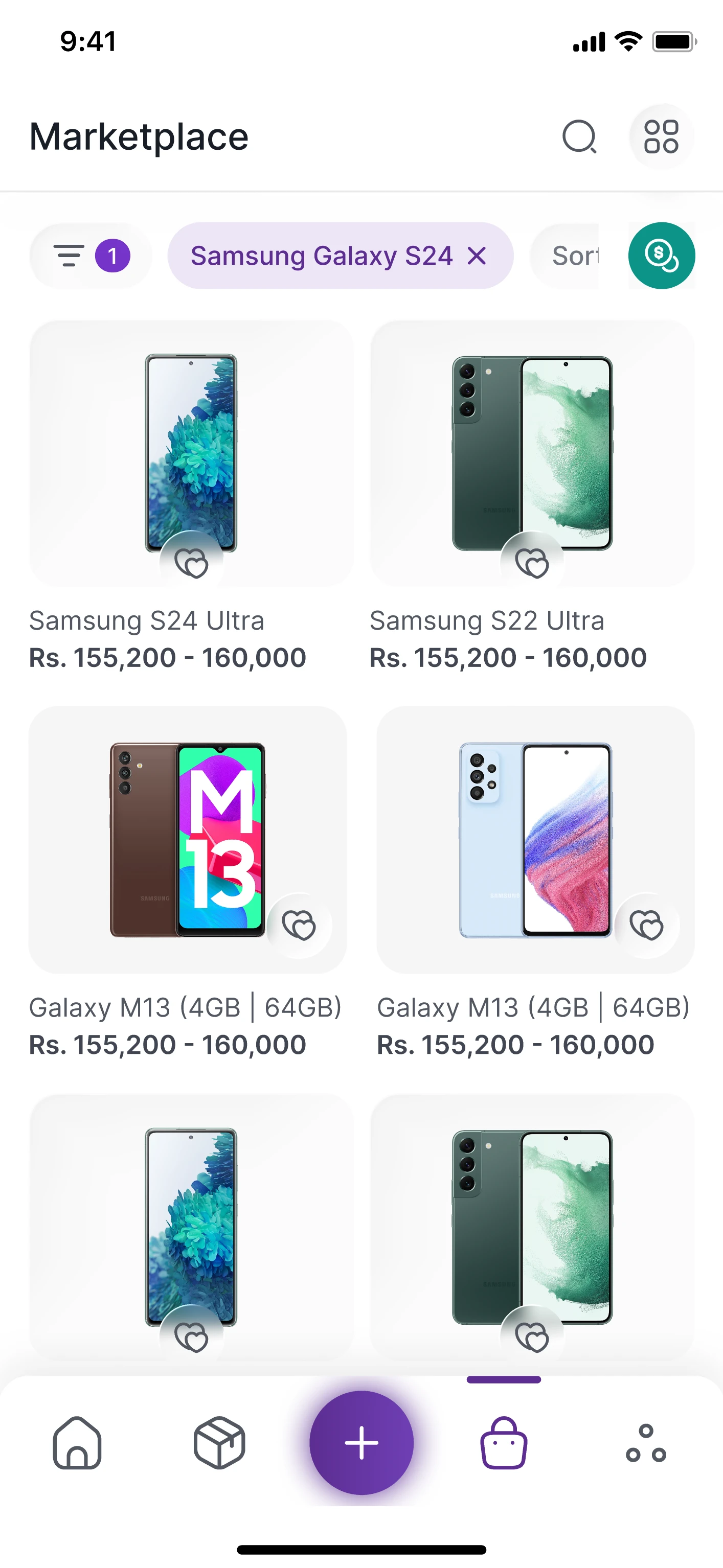
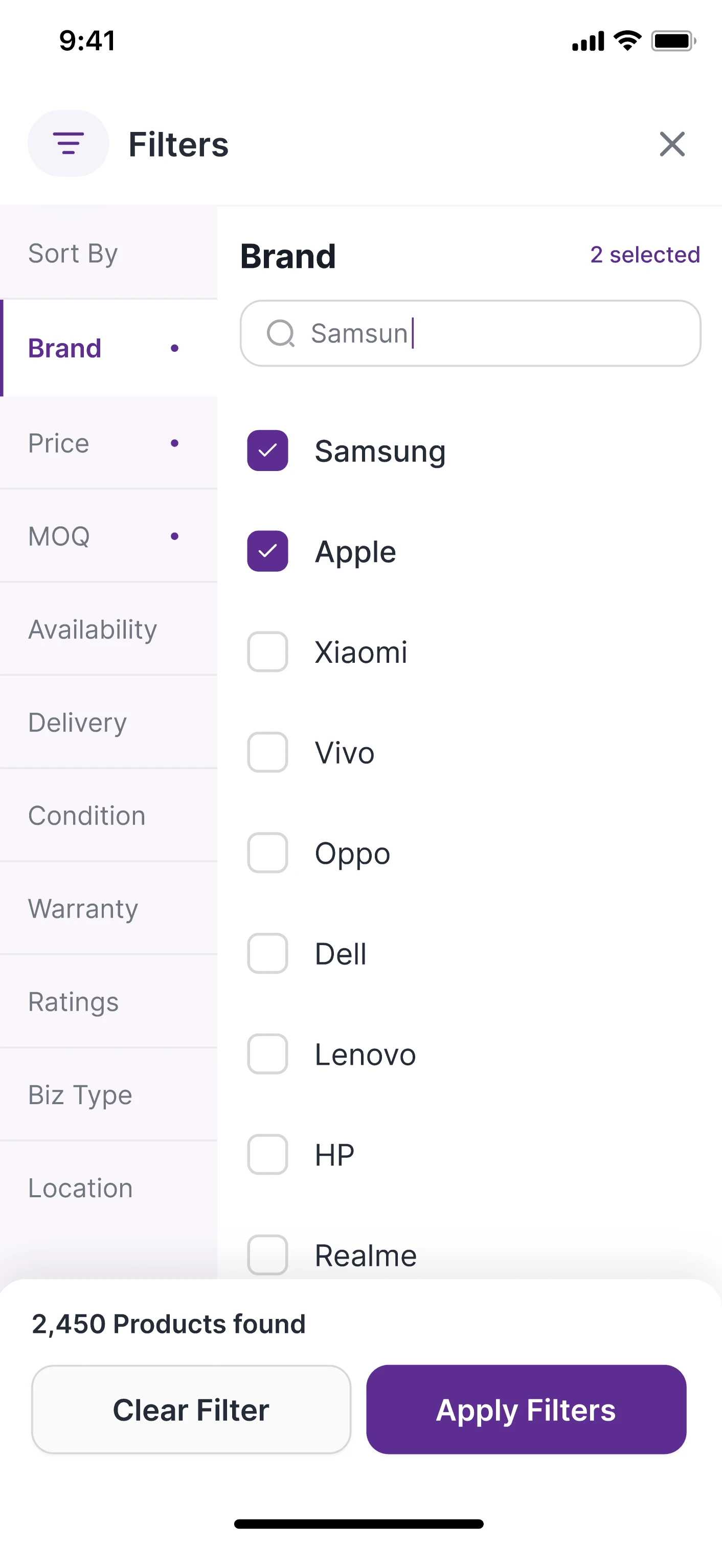
The marketplace uses one product catalogue, so the same item appears once with a ranked list of sellers. Filters sit on top of the grid as removable chips.
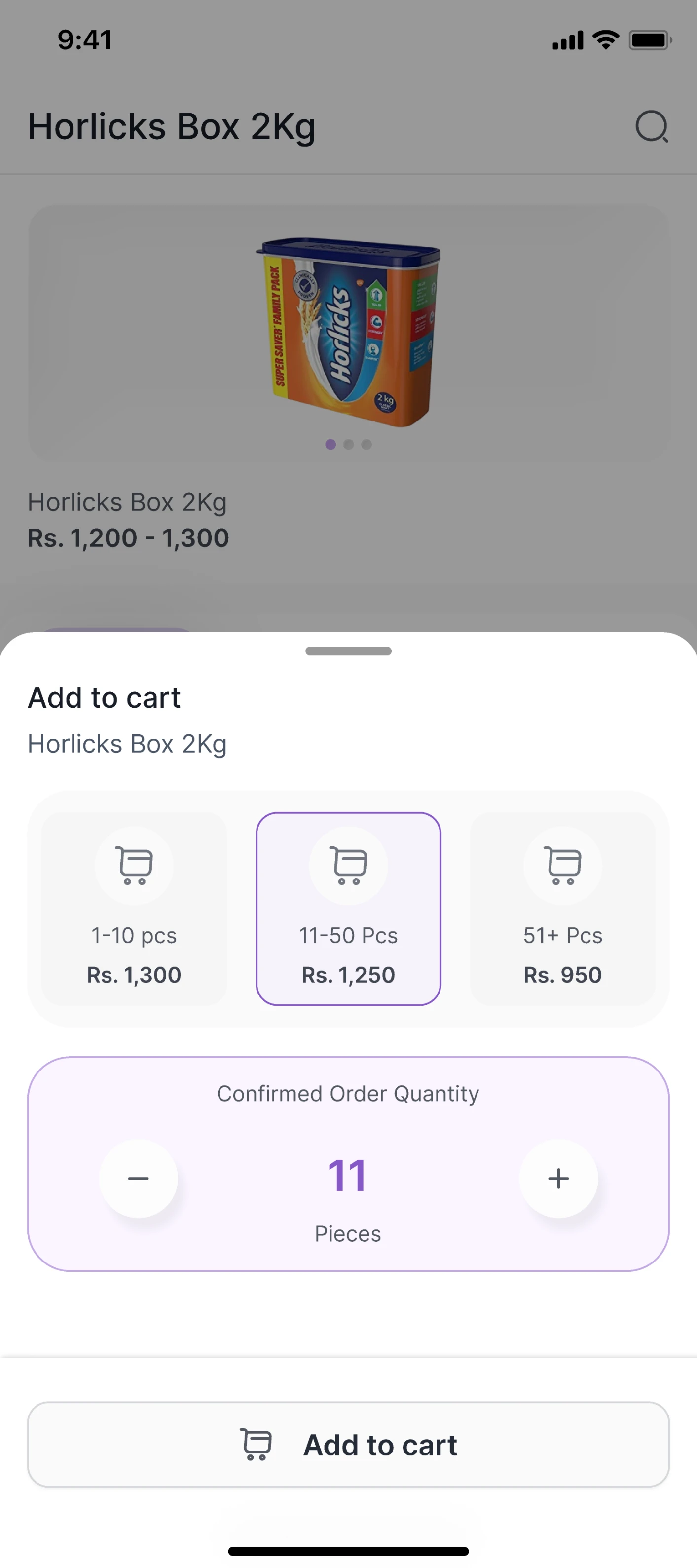
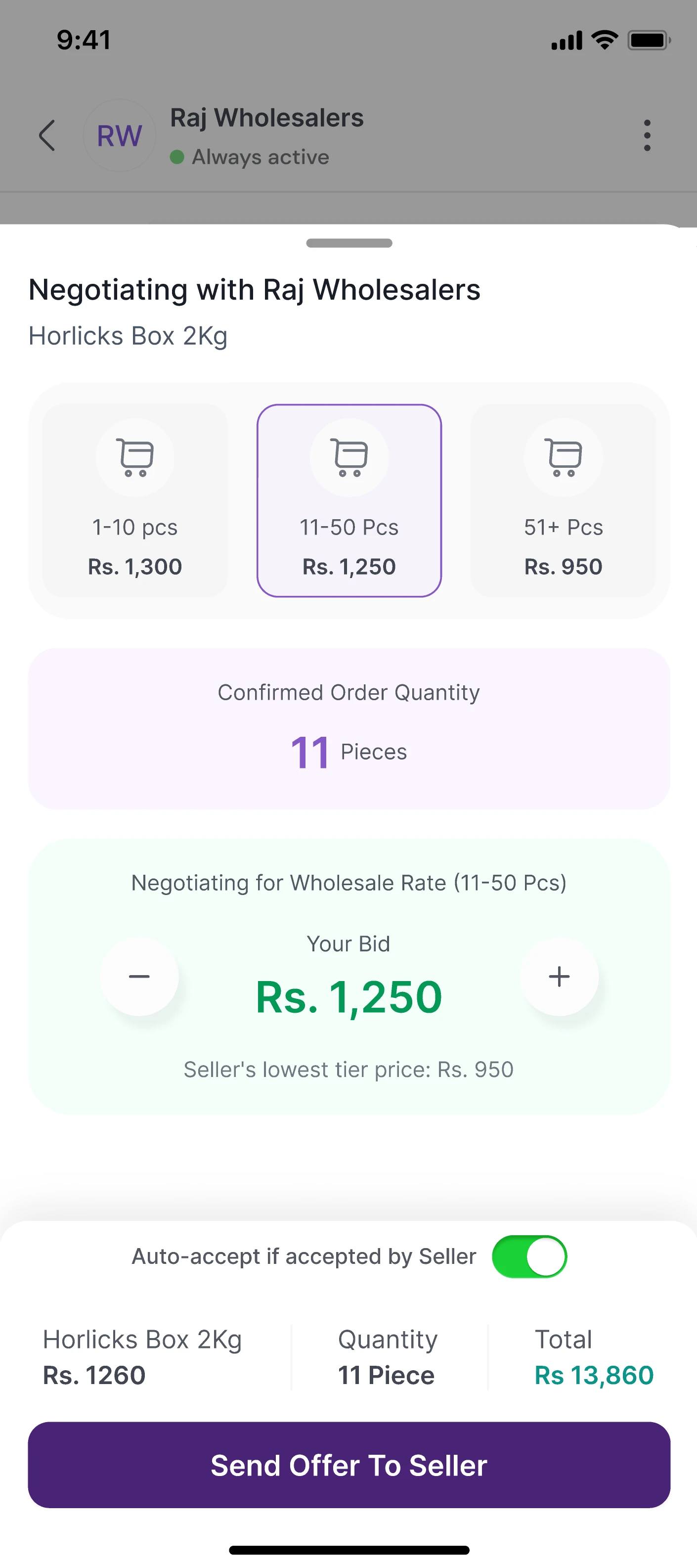
Quantity decides the wholesale price, so the cart sheet and the negotiation sheet share the same tier cards. In Negotiation, the owner sets a bid, sees the seller's lowest tier price, can turn on auto accept, and sends the offer.
Design notes
- Purple is the action colour in the app. Green and red are kept for money in and money out only.
- Sheets over the product page keep the user in context, so they do not lose their place when they pick a seller or negotiate.
- The same stepper is used for quantity and for the bid. One pattern, learned once.
- Seller Center, KYC, inventory, payments and login are also designed. They are in the Figma file.
Problems this design solves
- Two tools for one shop. Ledger, billing and the marketplace live in one app.
- Tracking who owes what. Parties hold balances, and payment in and out is recorded against them.
- Returns on paper. A sales return is a guided flow tied to the original sale.
- Finding the right seller. Filters and seller pages help compare before buying.
- Price haggling over calls. Buyers negotiate inside the app.
These describe what the design is built to do. No usage numbers are claimed.
Say
hello
↗Finished reading? Message me on WhatsApp and tell me what you are building. Or email byabiskarjung@gmail.com.